CVE-2026-123158: long passwords bypass OpenSSH logins on Alpine Linux
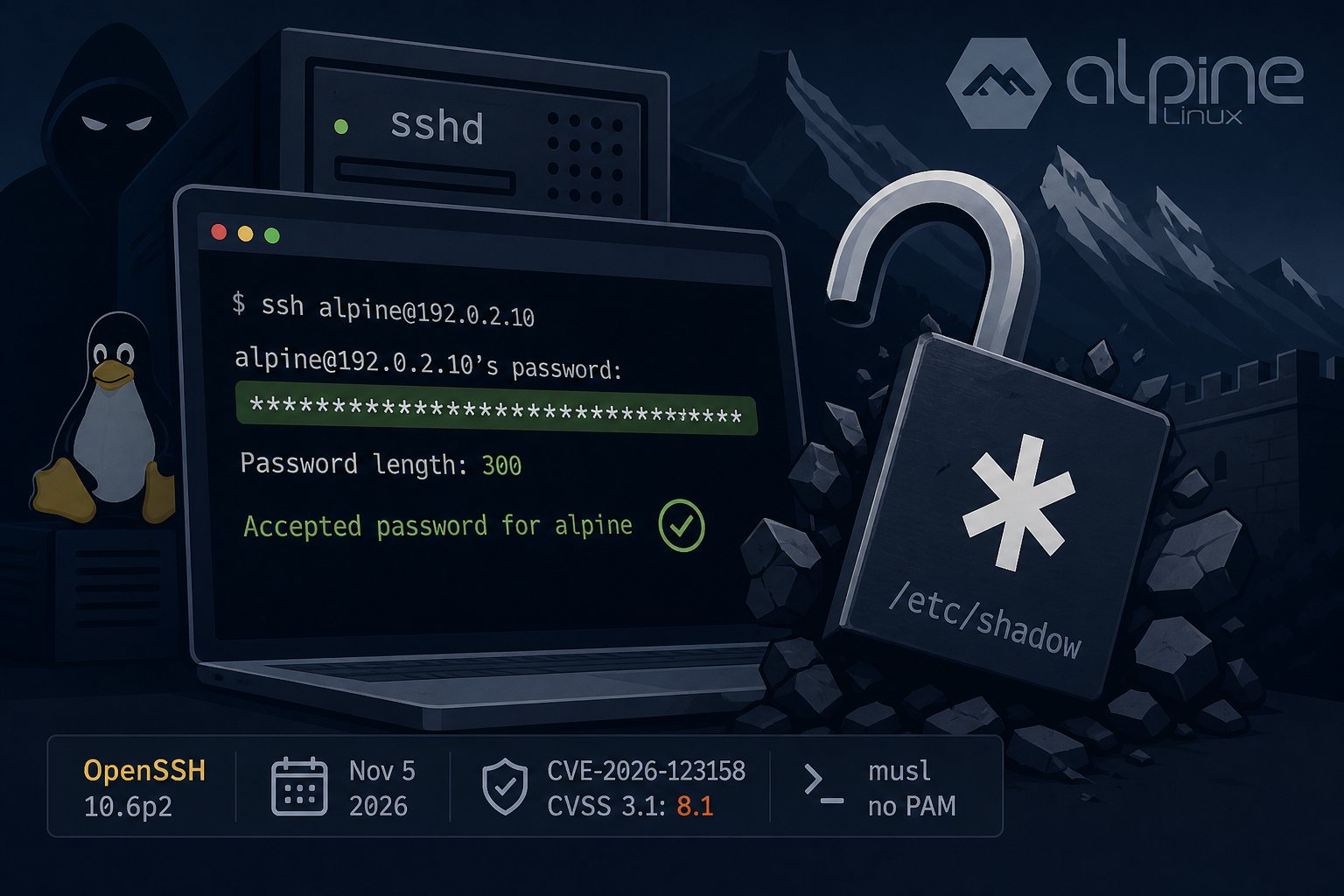
OpenSSH 10.6p2, released November 5, 2026, fixes a password authentication bypass in sshd on Linux systems that use the musl C library with PAM turned off. The bug is tracked as CVE-2026-123158 and carries a CVSS 3.1 score of 8.1 in the MITRE record, with high attack complexity. On an affected host, an account whose password field in /etc/shadow is a single * (meaning "no password login allowed") will accept any password between 257 and 1,024 bytes long.
Özgün Kültekin of Wakefield reported the bug and published the details under the name "*sshole". The OpenSSH team describes the root cause as sitting outside sshd but added a workaround there because sshd is where it can be exploited. As of November 6, neither the researcher nor press coverage reports exploitation in the wild.
Conditions an attacker needs
Every one of these has to be true on the target:
- sshd runs on a musl-based system.
- sshd is built or configured without PAM. Alpine's standard
openssh-serverpackage is compiled with--without-pam. PasswordAuthenticationis enabled, which is the upstream default.- The target account has exactly
*as its password field. Key-only service accounts, LDAP-backed users and, on Alpine 3.16 and later, root all fit. - Another local account has a real SHA-256 or SHA-512 hash (
$5$or$6$). A fresh system where nobody has set a password is not exposed.
The published proof of concept takes two attempts: one wrong password, then a password of roughly 300 characters. Whether that yields root depends on PermitRootLogin, but on Alpine's official AWS and Azure images the default alpine user has passwordless doas, so any login as that user is a root login.
How musl's crypt() and sshd's salt borrowing line up
Since August 2012, musl's crypt() returns the string "*" on failure instead of NULL. Weeks later musl capped SHA-crypt input at 256 bytes to prevent CPU exhaustion, so a longer password makes crypt() fail and return "*".
In July 2016, OpenSSH changed sshd to hash login attempts for accounts without a usable hash against a salt taken from another account, so response timing would not reveal which usernames exist (the fix for CVE-2016-6210). With an over-length password, that hash fails, musl hands back "*", and sshd compares it to the "*" stored in the shadow file. They match, and the login succeeds.
glibc distributions avoid this two ways: Debian, Ubuntu, Fedora and RHEL derivatives such as AlmaLinux send password checks through PAM by default, and libxcrypt returns "*0" on failure. Dropbear and OpenBSD are also unaffected.
Systems that run musl without PAM
- Alpine Linux virtual machines, including the official cloud images.
- Docker images built on Alpine that run sshd, which is common for SFTP drop boxes, jump hosts and CI runners. The base
alpineimage does not ship OpenSSH, so this only affects images that add it. - Embedded and appliance firmware built with Buildroot or Yocto against musl.
- OpenWrt routers where OpenSSH has replaced the default Dropbear, often to get SFTP.
Vulnerability scanners that match on the upstream OpenSSH version string may misreport Alpine hosts, because Alpine backported the fix into older OpenSSH versions on its stable branches.
Fixed Alpine package versions by release
From the secfixes entries in Alpine's aports tree:
- edge: 10.6_p2-r0
- 3.24: 10.3_p1-r2
- 3.23: 10.2_p1-r1
- 3.22: 10.0_p1-r11
- 3.21: 9.9_p2-r1
- 3.20: 9.7_p1-r6
- 3.19: 9.6_p1-r3
- 3.18: 9.3_p2-r4
- 3.17: 9.1_p1-r7
- 3.16: 9.0_p1-r6
Upgrade and restart. apk does not restart running services, so the old daemon keeps listening until you do:
apk update && apk upgrade openssh
rc-service sshd restart
apk info -v openssh-server
Checking a host by hand
# musl system? This file exists only on musl.
ls /lib/ld-musl-*

# PAM flavor installed? Alpine's init script uses it only when
# sshd_config also contains "UsePAM yes".
apk info -e openssh-server-pam

# Password logins enabled?
sshd -T | grep -i '^passwordauthentication'

# Accounts locked with a bare asterisk
awk -F: '$2=="*" {print $1}' /etc/shadow
If any account from that last list shows up in an Accepted password for line in /var/log/messages (Alpine's default syslog file), the bypass was used. Treat the host as compromised: rebuild it or at minimum rotate SSH keys and any credentials stored on it, and look for added keys in authorized_keys, new cron entries and new local users. The researcher's check.sh script at github.com/oz9un/sshole automates the log check.
Disabling password logins until you can patch
Confirm key-based login works in a second session first, then:
echo "PasswordAuthentication no" > /etc/ssh/sshd_config.d/00-no-passwords.conf
sshd -t && rc-service sshd restart
sshd -T | grep -i '^passwordauthentication'
The last command should print passwordauthentication no. Files in sshd_config.d are read in name order and the first value set wins, which is why the 00- prefix matters.
Containers need a rebuilt image
Running apk upgrade inside a live container fixes it only until the container is recreated from the old image. Pull a refreshed base image, rebuild, and redeploy. If you use third-party images that run sshd, check whether the publisher has pushed a new tag since November 5 and confirm the installed package version with docker exec <container> apk info -v openssh-server. For containers that only need file transfer, setting PasswordAuthentication no in the image and requiring keys keeps the image out of scope for this bug.