Contact Form 7 6.2.4 fixes CVE-2026-114432 upload flaw; PoC due Nov 19
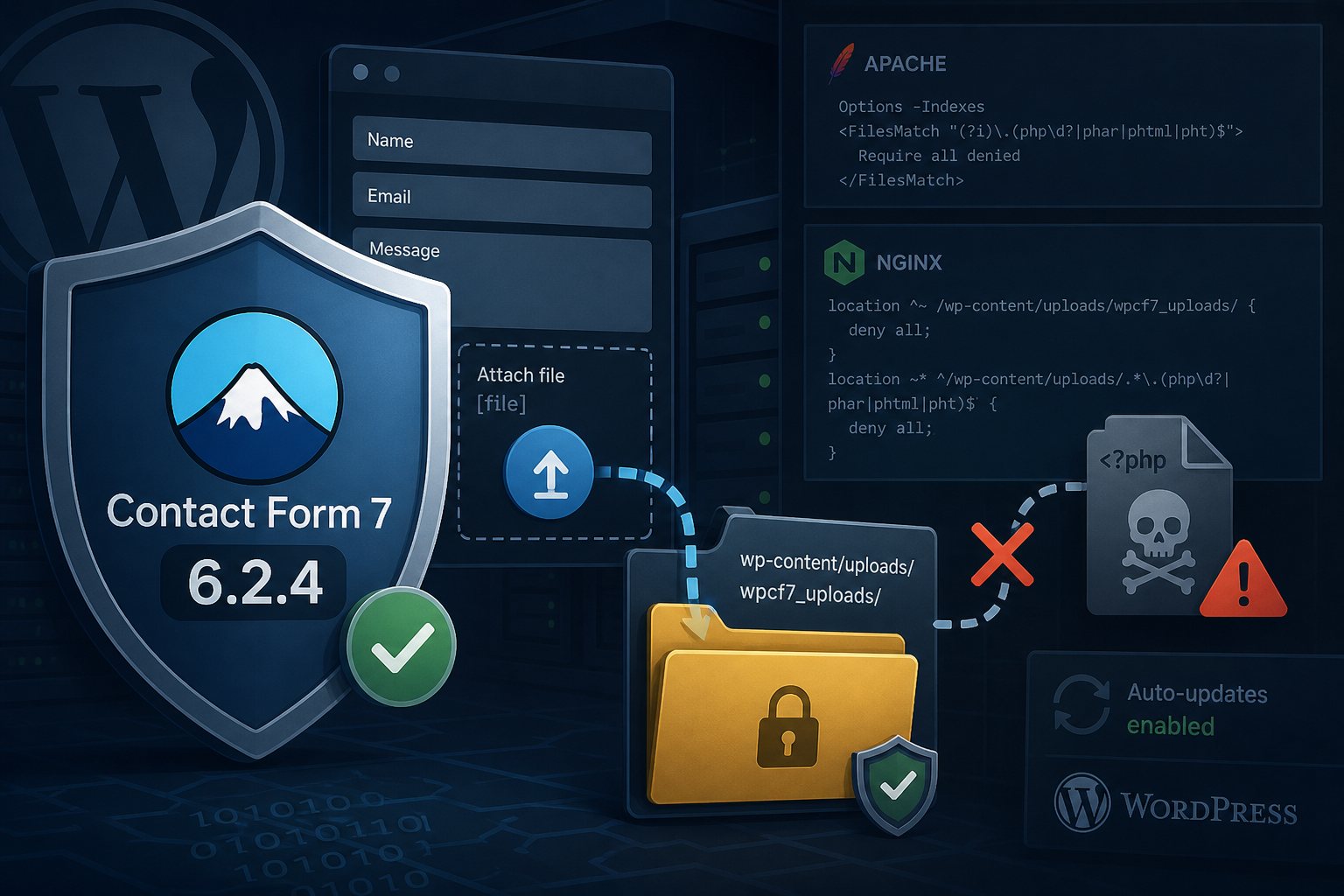
Contact Form 7, the WordPress form plugin with more than 10 million active installations, has a file upload flaw tracked as CVE-2026-114432. A visitor with no account can submit a form and leave a file of their choosing on the server. On some common Apache setups, that file can then be requested as PHP and run. The CVE record was published on November 8. The fix shipped earlier, in version 6.2.4 on October 29, so many sites with automatic plugin updates are already patched. WPScan, which coordinated the disclosure, says it will publish its proof of concept on November 19. Sites that still run 6.2 through 6.2.3 have about a week before working exploit code is public.
Versions affected and fixed
- Affected: Contact Form 7 6.2, 6.2.1, 6.2.2 and 6.2.3. The 6.2 branch came out on October 6 and requires WordPress 7.1 and PHP 8.3.
- Fixed: 6.2.4 (October 29). A 6.2.4.1 build followed the same day with a library update, and the current release on WordPress.org is 6.2.5, published November 10.
- The CVE record does not list the 6.1 branch, which sites on WordPress older than 7.1 are held to. It does use the same old extension denylist described below, so the server rules in this post apply to it too.
- Only forms that contain a file field (
[file]or[file*]) are exposed. The plugin skips upload handling entirely for forms without one.
The CVE record credits Shinya Murakami. As of November 9, CISA rated exploitation "none" and the CVE was not in its Known Exploited Vulnerabilities catalog.
Three fixes in the 6.2.4 code
We diffed the 6.2.3 and 6.2.4 packages from WordPress.org. The patch changes the upload path in three places.
- File names containing invalid UTF-8 bytes could slip through the plugin's file name sanitizer. Version 6.2.4 scrubs invalid UTF-8 before any other check.
- Older versions renamed dangerous extensions using a denylist:
php,phtml,pl,py,rb,cgi,aspandaspx, with an optional trailing digit. That list did not includephar. Version 6.2.4 replaces it with a safelist of audio, video and image extensions pluspdfandtxt. Any other extension gets_.txtappended. - If a multi-file field failed validation partway through, files already moved into place were never registered for deletion. They stayed in
wp-content/uploads/wpcf7_uploads/under a random 10-digit subdirectory until the plugin's background sweep removed them. The sweep deletes items older than 60 seconds, up to 100 per page load.
Server setups where the upload becomes code execution
Stock Apache on Debian and Ubuntu meets the conditions for remote code execution described in the CVE. The PHP module and PHP-FPM configs that those distributions ship route any file matching .+\.ph(?:ar|p|tml)$ to PHP, so a stored .phar file runs when requested. The default /etc/apache2/apache2.conf also sets Options Indexes and AllowOverride None for /var/www. Directory listing lets an attacker find the random subdirectory, and AllowOverride None means Apache ignores the .htaccess file with Require all denied that Contact Form 7 writes into wpcf7_uploads.
If AllowOverride is set to All (common on WordPress hosts, because permalinks need it), the plugin's .htaccess blocks all web access to that directory and the code execution path closes. Nginx ignores .htaccess, but it does not list directories by default and most WordPress configs pass only .php to PHP-FPM. There, the flaw still lets an outsider write an arbitrary file, such as HTML or SVG, that the site may serve from its own domain.
The two published scores reflect this split. WPScan, the CNA, rates the bug 7.5 on its own site and put no score in the CVE record. CISA's enrichment scores it 9.8 (AV:N/AC:L/PR:N/UI:N) on the assumption of full code execution.
Checking and updating sites with WP-CLI
wp plugin get contact-form-7 --field=version
wp plugin update contact-form-7
To list which forms on a site accept uploads:
P=$(wp db prefix)
wp db query "SELECT p.ID, p.post_title FROM ${P}posts p
  JOIN ${P}postmeta m ON m.post_id = p.ID
  WHERE p.post_type = 'wpcf7_contact_form'
  AND m.meta_key = '_form' AND m.meta_value LIKE '%[file%'"
After updating, submit a test entry with an attachment on each of those forms to confirm the email still arrives.
Apache and nginx rules for the uploads directory
Contact Form 7 attaches uploaded files to the outgoing email and then deletes them. Nothing in wpcf7_uploads ever needs to be served over HTTP, so deny the directory outright and stop PHP from running anywhere under uploads. On Apache, put this in the virtual host so it applies whatever AllowOverride says:
<Directory /var/www/example.com/wp-content/uploads>
    Options -Indexes
    <FilesMatch "(?i)\.(php\d?|phar|phtml|pht)$">
        Require all denied
    </FilesMatch>
</Directory>
<Directory /var/www/example.com/wp-content/uploads/wpcf7_uploads>
    Require all denied
</Directory>
Server-wide, narrow the handler pattern in /etc/apache2/mods-enabled/php8.3.conf or /etc/apache2/conf-enabled/php8.3-fpm.conf from .+\.ph(?:ar|p|tml)$ to .+\.php$ unless an application on the server needs the others. Run apachectl configtest before reloading.
On nginx, add these inside the server block. The ^~ prefix stops nginx from checking regex locations, and the regex block must appear above your location ~ \.php$ block because nginx uses the first regex that matches.
location ^~ /wp-content/uploads/wpcf7_uploads/ { deny all; }
location ~* ^/wp-content/uploads/.*\.(php\d?|phar|phtml|pht)$ { deny all; }
Test with nginx -t, reload, then confirm that a request for a test file in that path returns 403.
Finding files written before the patch
Updating does not remove anything an attacker already stored. Search for executable file types under uploads created since 6.2 shipped, and for anything left in the Contact Form 7 temporary directory:
find /var/www -path '*/wp-content/uploads/*' -type f \
  \( -iname '*.php*' -o -iname '*.phar' -o -iname '*.pht*' -o -name '.htaccess' \) \
  -newermt 2026-10-06 -ls

find /var/www -path '*/uploads/wpcf7_uploads/*' -type f ! -name .htaccess -mmin +10 -ls
Then search web server logs for any request to that directory. Legitimate visitors never request files there, so treat every hit as suspect:
zgrep -h 'wpcf7_uploads' /var/log/apache2/access.log* /var/log/nginx/access.log* 2>/dev/nullOn the WordPress servers Falcon Internet manages, PHP execution is denied under uploads and directory listing is off, which closes the execution path for this class of bug whatever the plugin version.