Namecheap's 30-Hour Outage: When Your Host Takes Your DNS Down With It
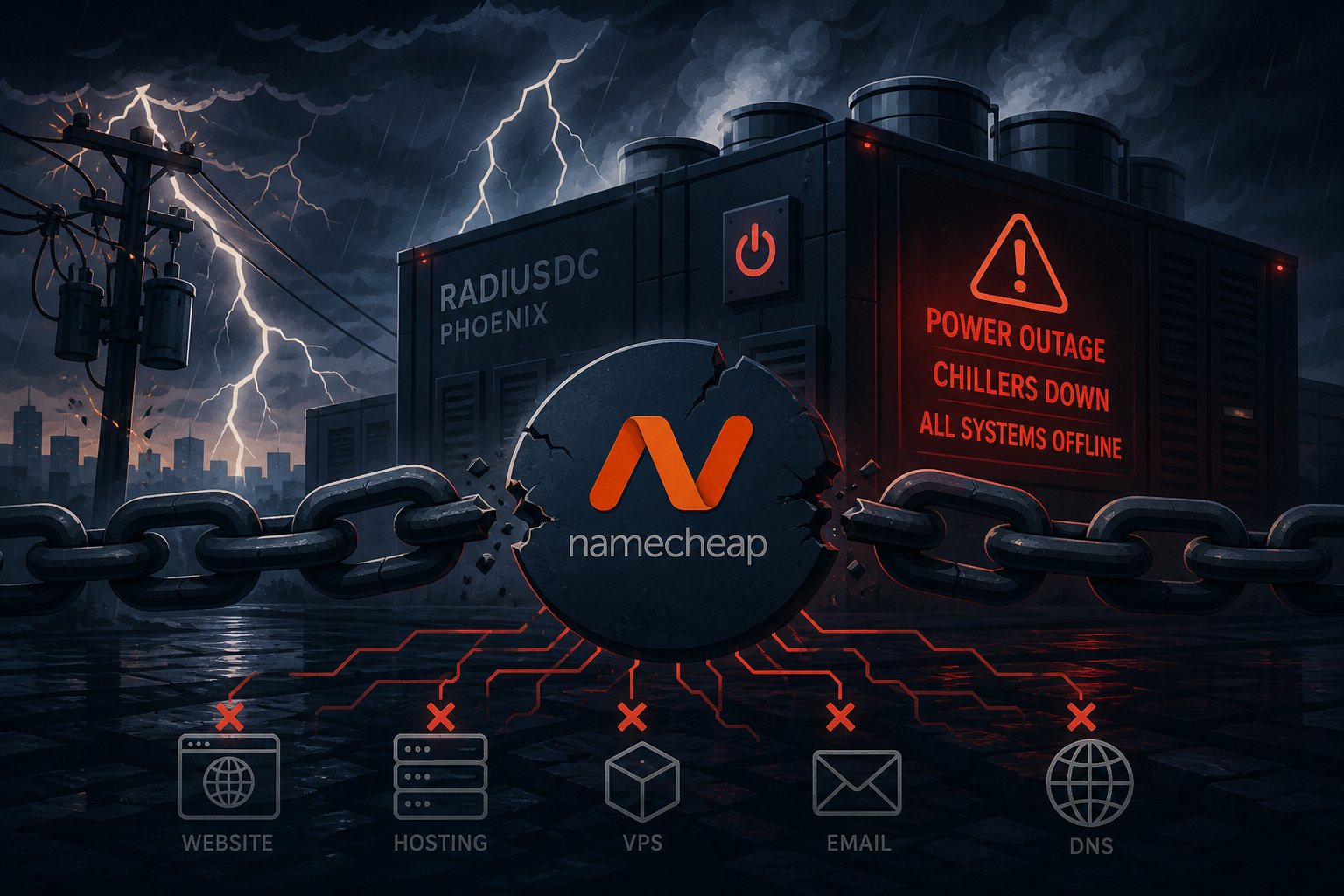
On August 13, Namecheap's status page went from green to a wall of incident notices in under two hours. By 12:35 UTC the company had notified customers of emergency maintenance. The cause wasn't a cyberattack, a botched deploy, or even hardware failure in the traditional sense. Overnight storms produced a series of utility power interruptions at the RadiusDC Phoenix data center — the facility housing Namecheap's core infrastructure — and those interruptions knocked out the building's chillers. The industrial refrigeration units that keep a data hall from cooking itself were gone. RadiusDC instructed Namecheap to power everything down to protect hardware. All 5,000-plus servers. Off.
What followed was a 30-hour, 32-minute blackout covering shared hosting, VPS, dedicated servers, EasyWP, Private Email, DNS, the customer control panel, and Namecheap's own website. The company's support team ended up running improvised assistance through Microsoft Teams accounts because their ticketing system was also down. The last services came back at 17:00 UTC on August 14. Namecheap confirmed no data loss — genuinely good news given the scope. But it doesn't change what those 30-plus hours cost the businesses depending on the platform.
What Happens When Chillers Fail
A modern data hall running at capacity generates enormous heat. Without active cooling, server inlet temperatures can climb past safe thresholds in a matter of hours depending on outside temperature and airflow design. The standard response to an imminent thermal event is exactly what RadiusDC chose: power down in a controlled sequence rather than let hardware fry. The Phoenix facility staged recovery — reactivating Chiller D first, deploying temporary portable cooling units, then restoring physical networking before virtual infrastructure before customer services. That careful, layered spinup is why no data was lost.
RadiusDC's post-incident notes reference Chiller D being the first system restored, which implies backup chillers exist — the facility had internal redundancy. What it didn't have was geographic redundancy: a second facility in another city capable of absorbing Phoenix's load when the entire site went down. That's a fundamentally different and more expensive class of protection.
The DNS Trap Nobody Was Ready For
The most instructive part of this outage isn't the cooling failure itself — it's who got hurt and why. Most Namecheap customers pointing their domains at the default nameservers (ns1.namecheap.com through ns4.namecheap.com) lost DNS resolution. Those nameservers live in the same facility. Expected. But the trap is what happened next: customers couldn't do anything about it. The control panel you'd reach for to change your nameservers was offline. The domain registrar — also Namecheap — was unreachable through normal channels. Support was running on improvised accounts with limited capacity.
The particularly sharp version of this failure hit businesses whose actual web servers were hosted elsewhere. These were customers who had diversified their hosting — they had a working server somewhere outside Phoenix — but they were still relying on Namecheap nameservers to tell the internet where that server was. They had a functional origin with no way to point traffic at it, and no control plane to make the change, because all three of those functions — DNS, registrar, control panel — shared the same physical failure domain.
This is the hidden cost of the one-stop-shop model. Domain registration, hosting, DNS, email, and the management interface bundled at a single vendor feels convenient right up until one infrastructure event takes out all five at once, including the one you'd use to recover.
Why "Redundant," "Backed Up," and "Won't Go Down" Mean Different Things
The terms get blurred in hosting sales pages. The plain engineering version:
- Backup means a copy of your data exists somewhere. It does not mean there's a server ready to serve that data while the original is offline.
- Redundancy within a facility means duplicate hardware — a second chiller, a second power path, a second network uplink. It protects against component failures. It does not protect against a facility-wide event that takes out the entire cooling plant.
- High availability means live, replicated capacity in a geographically separate location that can take over traffic with minimal intervention. This is the category that would have kept Namecheap customers online during an outage like this. It's also expensive to build and operate, and it's reflected in the price of the hosting tier.
Budget hosting is priced the way it is partly because the infrastructure trade-offs that make it affordable include a single-datacenter model. That's not a criticism — it's an architecture decision with a known risk profile. The problem is that most small business owners don't know the risk profile they signed up for until something like August 13 happens.
What To Actually Do About It
The takeaway here isn't specifically about Namecheap. It's that every vendor's failure modes belong in your thinking when you're making decisions about how your infrastructure is arranged. A few things that would have materially helped customers during this specific outage:
- Separate your DNS from your hosting provider. Cloudflare's free tier handles authoritative DNS for most small sites, runs across hundreds of globally distributed nodes, and is designed so that no single facility failure takes down your resolution. If your host goes offline, your DNS can keep resolving — and you can reroute traffic without depending on a control panel at the same failed facility.
- Set your TTLs low when things are stable (300–600 seconds is reasonable for most records). When you need to reroute in a hurry, short TTLs mean changes propagate in minutes rather than hours.
- Keep offsite backups outside your host's infrastructure. A backup in the same data center as your server doesn't help when the whole facility is powered down. Object storage services like Backblaze B2, Wasabi, or Amazon S3 provide cheap geographic separation. Verify restores on a regular schedule — not just the backup job, the actual restore.
- Know your recovery procedure before the emergency. Write down who you'd call, what access you'd need, and whether you can actually reach those controls if your hosting provider's support portal is dark.
At Falcon Internet, geographic distribution and infrastructure redundancy aren't negotiated away when building out a client's stack — they're part of why our clients' sites stayed reachable while Phoenix was dark. Outages happen. The question is always how much of your stack fails alongside them.